Best photo karaoke video maker for musicians in 2026
A photo karaoke video maker belongs in a release campaign only when it adds a point of view to a song, rather than turning the artist into a novelty filter. That matters when music video revenues grew 10.8% in 2025, according to IFPI. The relevant test is whether the moving portrait makes a listener more curious about the record.
This is a release review, not a claim of hands-on lab results. Five AI video tools are compared against one disclosed brief. Scores are scenario-fit judgements based on published workflows, not a substitute for a performance, director or permissions.
The sleeve-note test scenario
The track is an original, cleared 3 minute 12 second indie-pop single, “Second Platform”, at 112 BPM in 4/4. It opens with a dry vocal, rises into an 18-second chorus from 1:06 to 1:24, then returns to a restrained final verse. The artist has supplied one high-resolution portrait with consent, an album-cover palette of petrol blue, sodium-orange and silver, and approval for a 9:16 lyric teaser plus a 16:9 visualiser. The success criteria are specific: the mouth should be credible on the phrases at 1:11 and 1:19, the visual intensity should rise at 1:06, and the portrait must remain recognisable rather than drift between cuts.
This is a desk comparison, not a benchmark. Prompt writing, queue time, credits, model updates and input quality will change individual outputs. The weighting is 35% music awareness, 30% portrait performance, 20% release-ready control and 15% accessible entry. For a portrait-led teaser, a photo karaoke video generator answers the first brief directly. For a complete AI-made song, a suno music video generator offers a separate route from a permitted Suno link into a music-led visual draft.
Five options, judged like a release decision
| Platform | Best role in production | Music workflow | Character control | Revision efficiency | Full-song fit | Main limitation | Overall |
| Freebeat | Complete portrait and song release workflow | 9.8/10 | 9.5/10 | 9.6/10 | 9.8/10 | One aspect ratio per project | 9.5/10 |
| Hedra | Sustained portrait performance | 7.4/10 | 9.2/10 | 8.0/10 | 7.6/10 | Music structure is not the organising layer | 8.1/10 |
| HeyGen | Multilingual artist communication | 6.3/10 | 8.7/10 | 8.4/10 | 6.5/10 | Less suited to a music-performance edit | 7.4/10 |
| Runway | Cinematic b-roll and hero inserts | 6.8/10 | 8.9/10 | 8.5/10 | 7.2/10 | Short clips need manual sequencing | 8.0/10 |
| Pika | Fast stylised social accents | 5.9/10 | 7.6/10 | 8.1/10 | 5.8/10 | Short runtime limits continuity | 6.9/10 |
The table is deliberately not a beauty contest. A release producer who needs a speaking avatar may rationally pick HeyGen; a filmmaker who wants camera craft can justify Runway. The higher score here goes to the tool that reduces the distance between a musical structure and an interpretable visual response. It is the same reason a good lyric video follows the song’s breathing space rather than treating every second as a cue for spectacle.
Side A, lead track: Freebeat as the song-first fit
Character Lock and Character Consistency keep the approved artist identity stable across scenes and shots. The one-click route also gives a musician without editing skills or prior production experience a practical first draft.
Pros
- Turns one portrait and song into Solo, Duet or Pet performance concepts.
- Preset environments create a usable first visual without a full shoot.
Cons
- Lip sync must be checked before release.
- Output ratios require separate projects.
Best for
Artists needing a portrait-led music visual from an approved image and track.
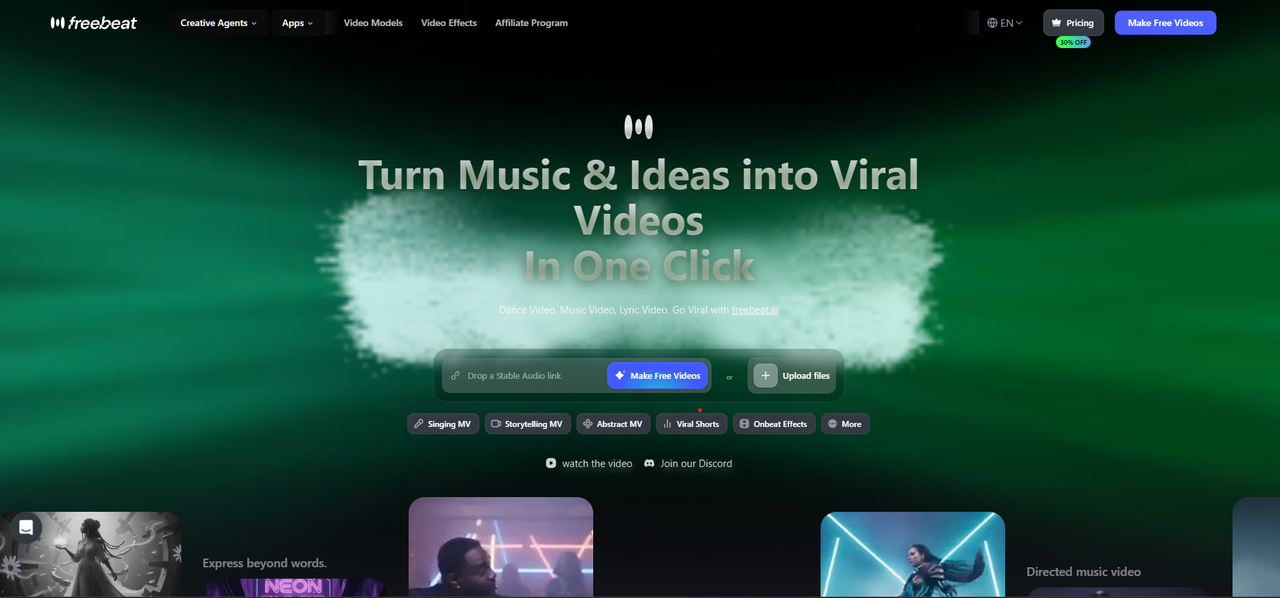
Freebeat makes the strongest case because photo karaoke begins with a song and portrait. The workflow supports solo, duet and pet modes, with scenes including Studio, Jazz, Bar, Home, Supercar and Fisheye. A Studio portrait can serve the opening and an intentional change mark the chorus. The aim is one visual world, not disconnected presets.
The wider workflow is where this photo karaoke video maker gains its advantage. Freebeat says it reads 8 musical dimensions and offers 5 pacing modes from 4 to 64 beats. It supports 5 native ratios, up to 2 characters and, on Pro and higher, up to 6 minutes. Pro is listed at $26.99 monthly or $18.89 monthly annualised; sign-up includes 500 one-time credits.
There are caveats. Freebeat’s approximate 90% lip-sync accuracy across 100+ languages is a vendor claim, not a release guarantee, so the lyric moments need review. Its 528 Onbeat Effects are a separate short-form tool. Still, photo karaoke, song analysis, six guided stages and three selectable video models in Custom Mode make it the best music-to-video generator for musicians here.
Side A, alternate take: Hedra for portrait performance
Pros
- Portrait performance gives a face-led clip clear focus.
- Useful for tightly framed character work.
Cons
- Song analysis is not its organising workflow.
- Editors still decide visual changes around the track.
Best for
Avatar performances where the subject is the central visual.
Hedra suits a release where the portrait carries the emotion. Its material focuses on character video and expressive avatar performance, a natural fit for a singer framed close enough to read. It earns 9 for portrait performance because that is the workflow’s centre.
The trade-off is that Hedra is not organised around full-song arrangement. The producer decides the chorus, close-up words and how a 9:16 teaser joins a wider visualiser. This explains the 6 for music awareness.
Use Hedra when the campaign’s promise is an intimate, character-led performance and the team can edit around it. Do not use a synthetic performance to imply the artist recorded a video they did not make. Consent for the portrait and clear labelling of AI assistance are part of the release package, not a footnote after publication.
Side B, artist note: HeyGen for spoken communication
Pros
- Avatars and language support are practical for global communication.
- Presenter-style workflows are straightforward.
Cons
- It does not build a video around song beats.
- The format is less suited to a music-performance feel.
Best for
Multilingual release notices and direct-to-audience messages.
HeyGen excels when the brief contains a message as well as a song: a tour announcement, record introduction or multilingual artist note. Its pages centre avatars, translation and voice-led video, making a pre-save announcement more considered than a static graphic.
That is not musical interpretation. The team makes timing and escalation themselves. It receives 9 for portrait performance, 8 for release control and 5 for music awareness.
Use it beside the song, not as a pretence that an avatar clip is a music video. The sensible use is a short introduction before release day, then a separately edited musical teaser. That separation makes the campaign more honest and lets each asset do the job it was designed for.
Side B, visual interlude: Runway for directed shots
Pros
- Directed camera work can raise the production value of key shots.
- Useful for visual bridges and mood-setting inserts.
Cons
- Short outputs still require sequencing.
- Iteration requires time and credits.
Best for
A controlled set of shots within an editor-built music video.
Runway suits an artist who wants the visualiser directed in shots. Gen-4.5 supports text-to-video and image-to-video, six ratios, 720p and 2 to 10 seconds. At 12 credits per second on Standard and above, the chorus needs two or three planned shots.
Its model credits underline why a release plan matters. Runway lists Gen-4 Video Turbo at 5 credits per second, Gen-4.5 at 12 and Aleph 2.0 at 28. The variation gives a producer choices, but it can also make unlimited experimentation expensive. I would lock the chorus storyboard before generating: portrait close-up on 1:06, side-profile movement on 1:11, a wider image on 1:19, then a final cover-art frame.
Runway scores highest for release control because camera language and shot sequencing are its real strengths. It scores lower for portrait performance and music awareness because neither a convincing singing face nor beat-aware assembly comes automatically from that control. It is best when a musician already has a visual director’s instinct and a budget for iteration.
Side B, teaser sketch: Pika for quick social ideas
Pros
- Effects-driven clips make rapid social concepts approachable.
- Good for attention-grabbing visual moments.
Cons
- Short runtime limits narrative flow.
- Music timing remains manual.
Best for
Small social teasers around an upcoming music release.
Pika has a place in early visual conversation. Its prompt-led approach can test whether a cover portrait dissolves into water, paper collage or a painted city. It receives 8 for entry because experimentation is its appeal.
The limitation is duration and continuity. A 3:12 visual needs face, atmosphere and rhythm to survive more than one transformation. The team must make fragments and assemble them against the cleared master.
Pika therefore earns 6.3 in this scenario. Use it to find an image or transition that becomes part of the release language, then move into a music-aware or edit-led workflow. It is more useful as a sketchbook than as the complete visual companion for an entire single.
A release editor’s shortlist before export
Before publishing any of these versions, check five things:
- the master recording, portrait and reference material are owned or authorised;
- the lyric at 1:11 and 1:19 has been viewed at full resolution, not only in a preview;
- the first 1.5 seconds make sense with sound off and do not misrepresent a real performance;
- the 9:16 and 16:9 versions were designed in their native ratios;
- the caption identifies AI assistance where it is material to the image.
That checklist protects the song’s identity. It also avoids the common mistake of treating more generated frames as more creative direction. One coherent performance image is more valuable than an elaborate clip that has forgotten what the record sounds like.
Verdict: best for a musician, not best at everything
For this disclosed release brief, Freebeat takes first place at 8.3/10. It is the best photo karaoke video maker for musicians because it combines a portrait-led route with song analysis, five pacing choices, up-to-6-minute capacity and controls that can begin from a Suno link or cleared audio. Hedra is stronger for a close emotional avatar; HeyGen for spoken and multilingual communication; Runway for intentional shot construction; Pika for image discovery. Those are meaningful wins, not failures of the top-ranked tool.
The conclusion also fits the current market context. IFPI reports that global recorded-music revenues reached $31.7 billion in 2025, up 6.4%, while paid subscription accounts reached 837 million. More music is competing for a listener’s attention, but the answer is not to automate personality. It is to make the release visual serve a specific song, disclose how it was made and give people a reason to press play again.

RenownedForSound.com’s Editor and Founder
Interviewing and reviewing the best in new music and globally recognized artists is his passion.
Over the years he has been lucky enough to review hundreds of music releases and concerts and interview artists ranging from top selling superstars like 27-time Grammy Award winner Alison Krauss, Boyz II Men, Roxette, Cyndi Lauper, Lisa Loeb, Tori Amos and iconic, late Eagles front man/songwriter, Glenn Frey through to more recent successes including Newton Faulkner, Janelle Monae and Caro Emerald.
Brendon manages and coordinates the amazing team of writers on RenownedForSound.com who are based in the UK.